
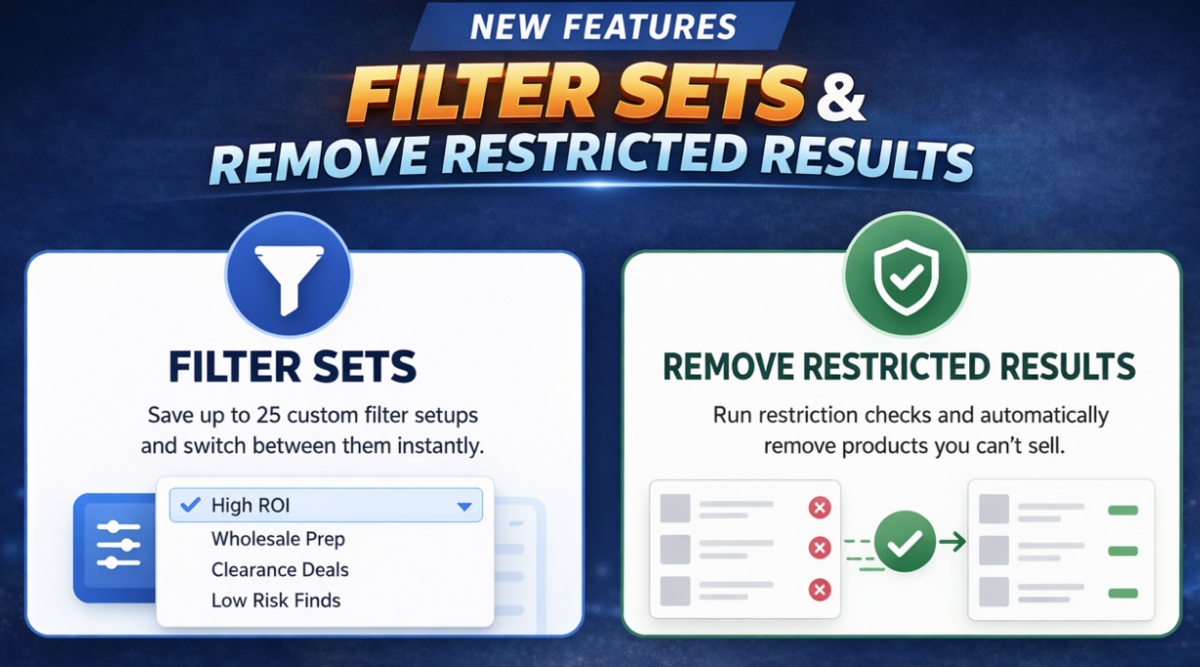
Over the past year, two requests have come up again and again from the ArbiSource community.
Not small requests. Not “nice-to-haves”.
But features that genuinely change how fast and efficiently you can source.
Today, we’re excited to finally roll both of them out.
🚫 Remove Restricted Results from The Vault
This has probably been the most requested feature we’ve ever had.
And until now, we’ve always had to say…
“It’s not possible.”
The problem
Vault and Price Drops are built on shared results, which meant we couldn’t previously tailor them to each individual user.
So even after running restriction checks, you’d still see products you can’t actually sell.
What’s changed
You can now:
👉 Run a restriction check and automatically remove products you can’t sell
🧠 How to remove restricted products
Here’s how it works:
- Go to Vault or Price Drops
- Click “Check Restrictions” in the top right corner
- Choose “Remove products I can’t sell"
- Let the check run
As it processes, restricted products will be removed from your results.
🎯 Save Time Instantly with Filter Sets
If you’ve ever found yourself constantly tweaking filters depending on what you’re sourcing… this one’s for you.
What’s new?
You can now create and save up to 25 Filter Sets, each with its own name and configuration.
That means no more resetting sliders, toggling switches, or trying to remember your “ideal” setup.
🧠 How to use Filter Sets
Using Filter Sets is simple:
- Set your filters exactly how you want them
- Click “Save Filter Set”
- Give it a name (e.g. High ROI / Fast Sales)
- Next time, just select it from the dropdown
That’s it. Your filters update instantly across ArbiSource.
You can also:
- Update an existing set using “Overwrite Filter Set”
- Delete sets you no longer need
- Switch between them at any time
💡 Practical ways to use Filter Sets
Instead of generic presets, think in terms of how you actually source day-to-day:
- “Quick Wins” → High ROI + low competition + strong sales rank
- “Bulk / Wholesale” → Lower ROI but higher consistency + fewer restrictions
- “Deep Dive” → Wider filters to uncover less obvious leads
- “Low Risk” → Tight filters focused on proven, stable products
- “Clearance Hunting” → High discount + flexible ROI
The goal is simple:
👉 Spend less time adjusting filters, more time analysing profitable leads.
What this means for you
- No more wasting time analysing unusable products
- Cleaner, more relevant results
- Faster decision-making
This is especially powerful when working through large result sets.
⚡ Faster, Cleaner Sourcing
These two features work together to remove two major sources of friction:
- Filter Sets → eliminate constant setup time
- Remove Restricted Results → eliminate wasted analysis time
Less friction. More focus. Better sourcing.
A lot of what we build in ArbiSource comes directly from user feedback.
These two features are perfect examples of that.
So keep it coming — we’re always listening 👊


